

1
Open GitHub settings
Go to your GitHub Organization or repository page and click Settings.Going to the Organization page lets you track all repositories in the org. Going to an individual repository page tracks just that repo.
2
Open Webhooks
In the Settings page, click Webhooks in the left sidebar.
3
Add a webhook
Click Add Webhook.
4
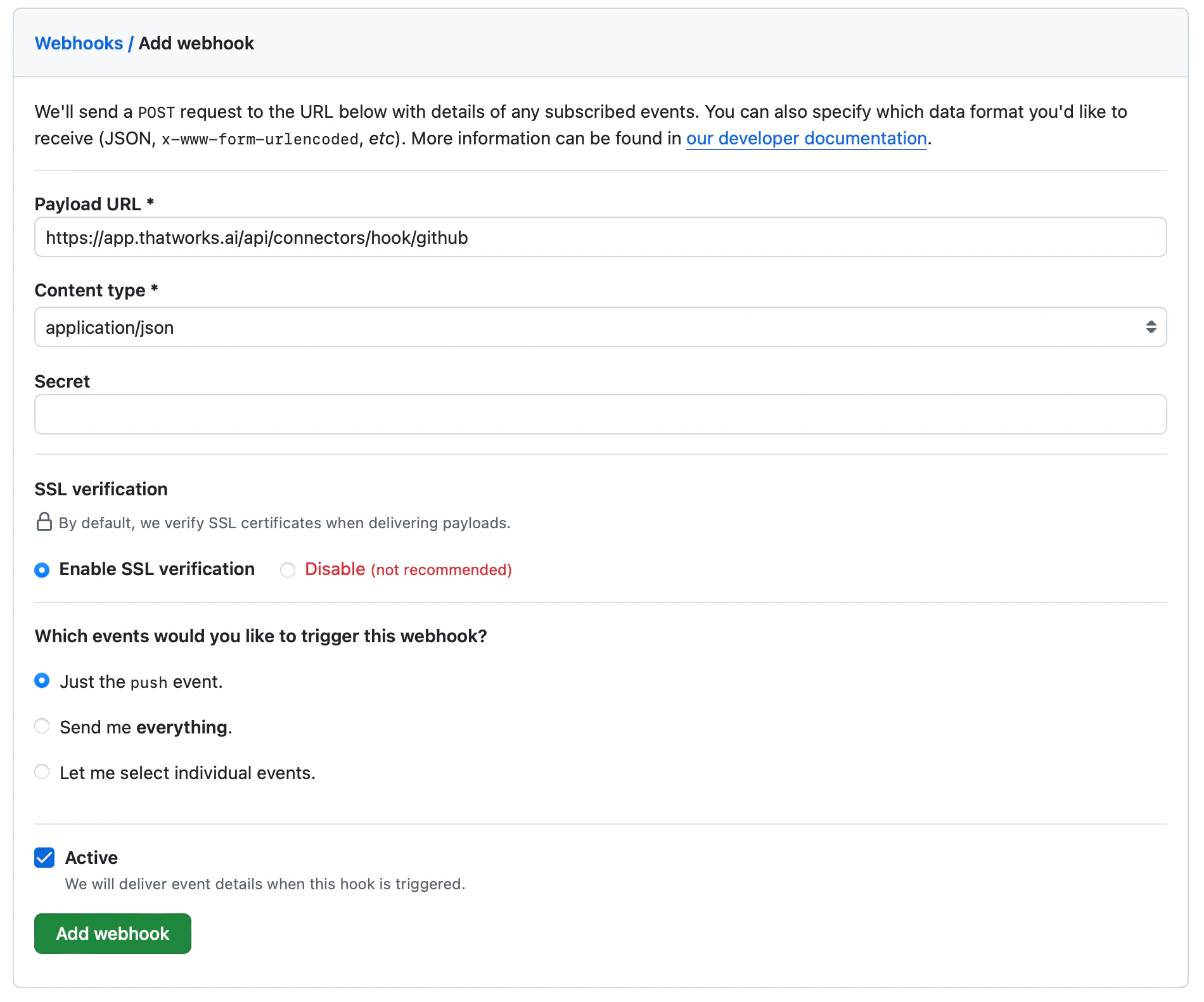
Set the webhook properties
- Payload URL:
https://app.thatworks.ai/api/connectors/hook/github - Content Type:
application/json - Leave the rest at their defaults: Secret must be empty, SSL Verification is enabled, and events are set to push.
5
Save
Click Add Webhook.